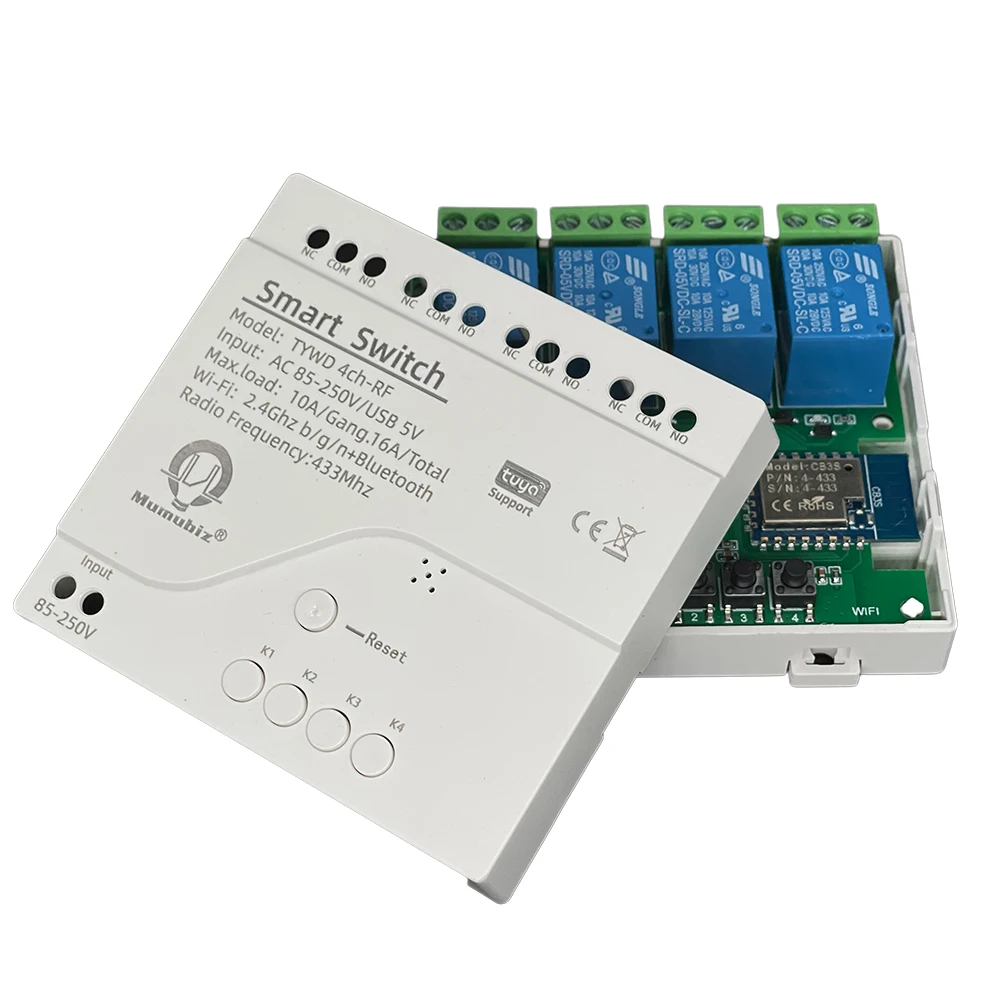
Tuya 4 Channel Smart WiFi 85-250V Switch, APP RF433 Remote Control ,Bluetooth, Inching ,Self-lock ,Inter-lock,Works with Alexa


Tuya 4 Channel Smart WiFi 85-250V Switch, APP RF433 Remote Control ,Bluetooth, Inching ,Self-lock ,Inter-lock,Works with Alexa
SPECIFICATIONS
APP: Smart life / Tuya Smart
Brand Name: mumubiz
Camera Equipped: No
Certification: CE,RoHS
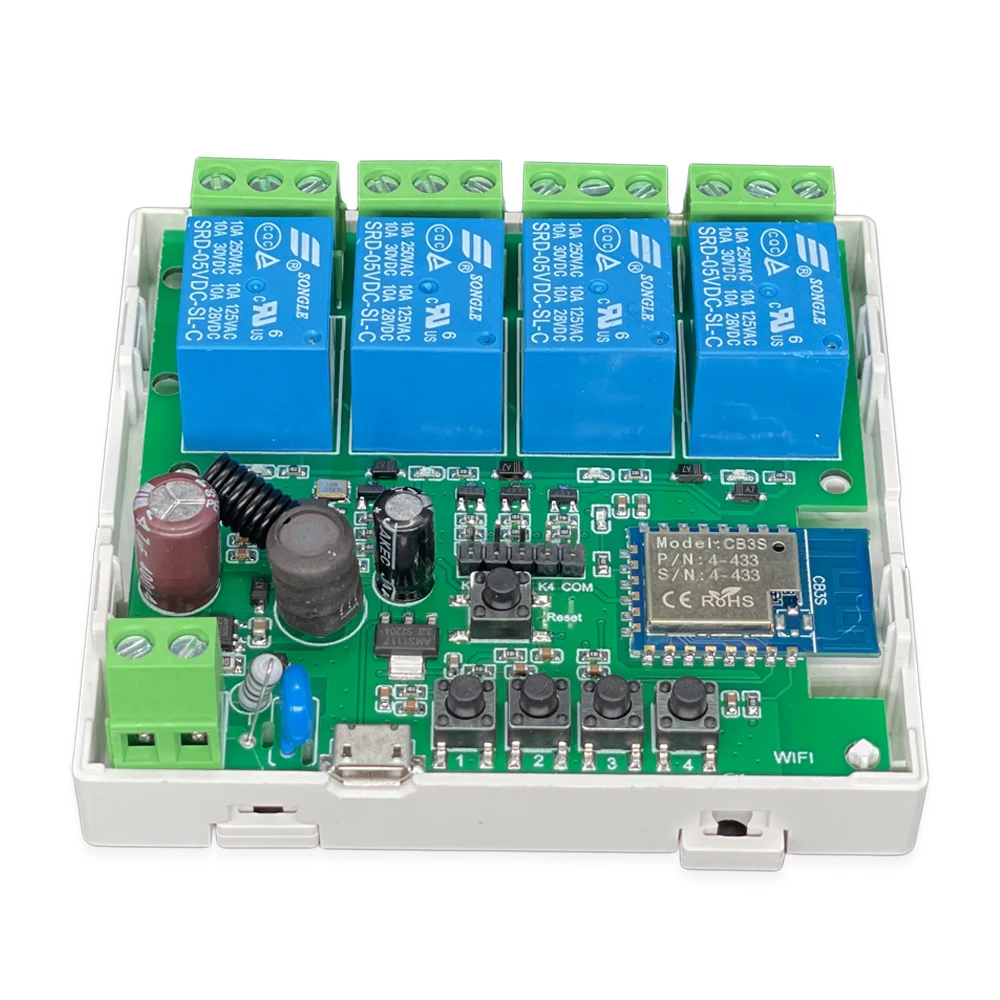
Channel: 4 channels
Choice: yes
Communication method: Wi-fi
Compatibility: All Compatible
Frequency radio: 433Mhz
High-concerned chemical: none
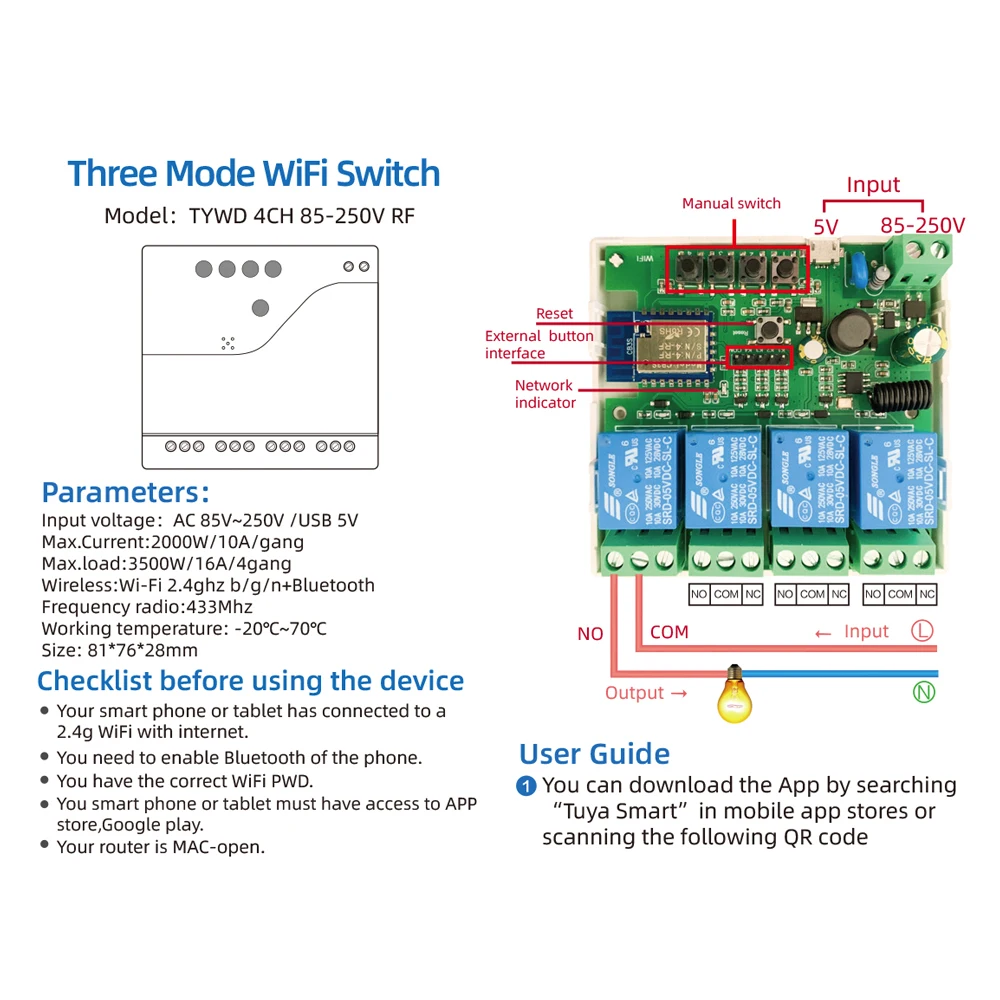
Input voltage: AC 85V-250V /USB 5V
Max.Current: 2000W/10A/gang
Max.load: 3500W
Model Number: MS22082501
Origin: Mainland China
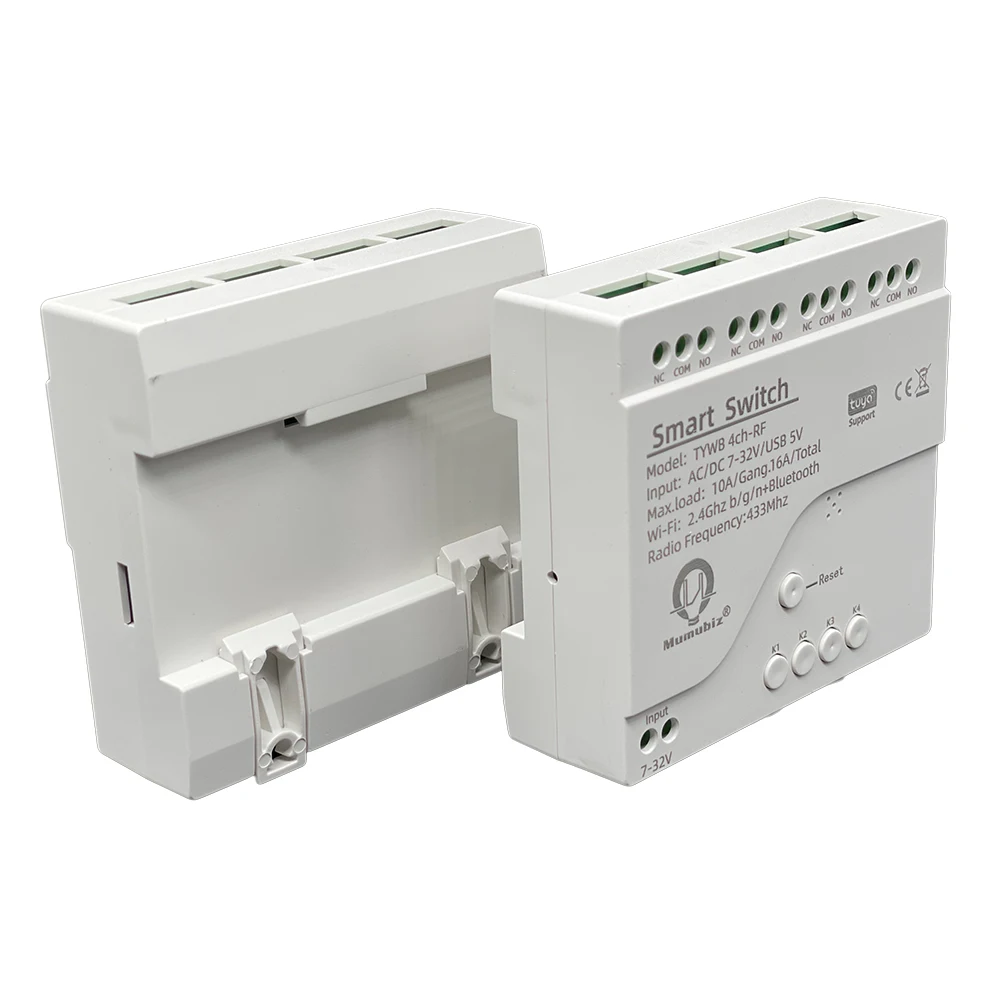
Size: 81*76*28mm
State of Assembly: Ready-to-Go
System: IOS / Android
WirelessWi-Fi: 2,4ghz b/g/n+Bluetooth
Working mode: Self lock / inter lock / Inching
semi_Choice: yes

Parameters:
Input voltage: AC 85V-250V /USB 5V
Max.Current: 2000W/10A/gang
Max.load:3500W/164/40ang
Wireless:Wi-Fi 2,4ghz b/g/n+Bluetooth
Frequency radio:433Mhz
Working temperature: - 20°C-70°C
Size: 81*76*28mm
Checklist before using the device
Your smart phone or tablet has connected to a 2.4g WiFi with internet.
You need to enable Bluetooth of the phone
You have the correct Wii PWD.
You smart phone or tablet must have access to APP store Google play
Your router is MAC-open
User Guide
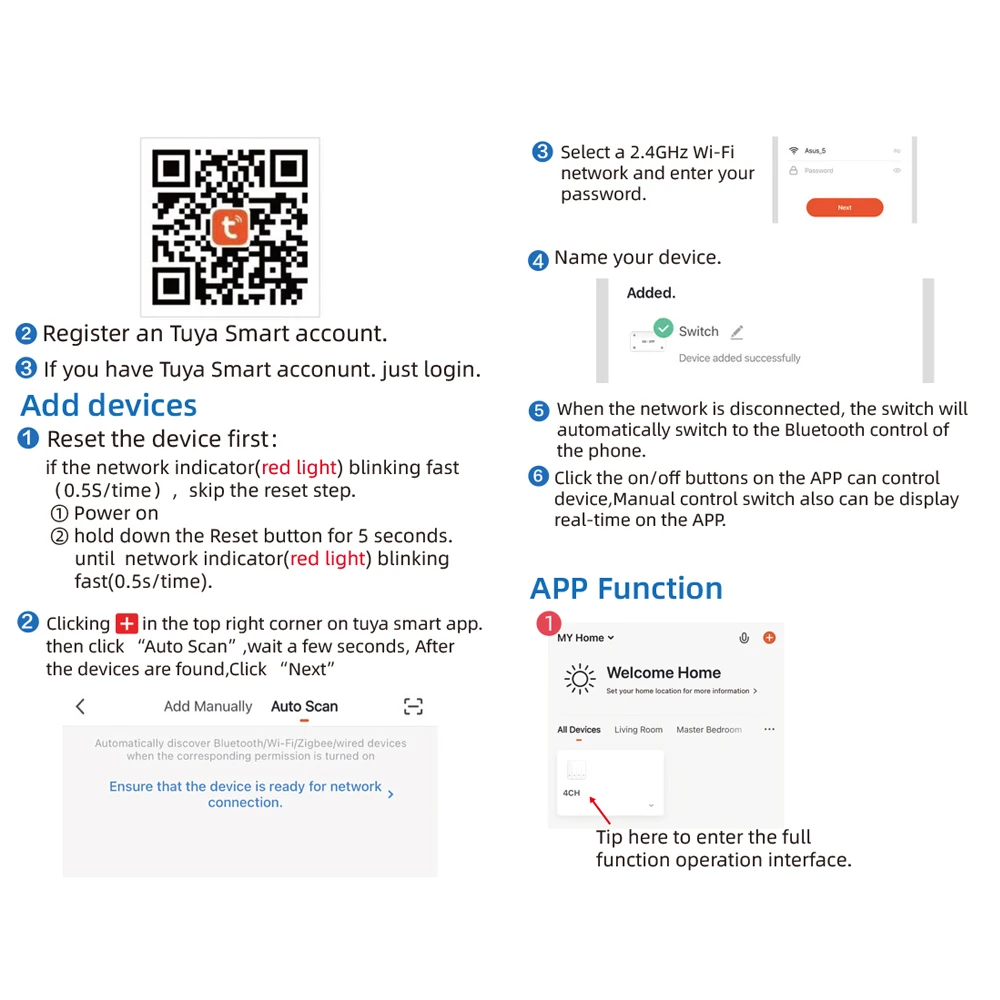
You can download the App by searching "Tuya Smart" in mobile app stores or scanning the QR code on the manual.
Register an Tuya Smart account.
If you have Tuya Smart account. just login.
Add devices
Reset the device first:
if the network indicator(red light) blinking fast ,skip the reset step.
if not , Power on , hold down the Reset button for 5 seconds. until indicator blinking fast .
Clicking + in the top right corner on tuya smart app.
then click "Auto Scan", wait a few seconds, After the devices are found,Click "Next"
Select 2.4GHz Wi-Fi network and enter your password.
Name your device
when the network is disconnected , the switch will automatically switch to the bluetooth control of the phone
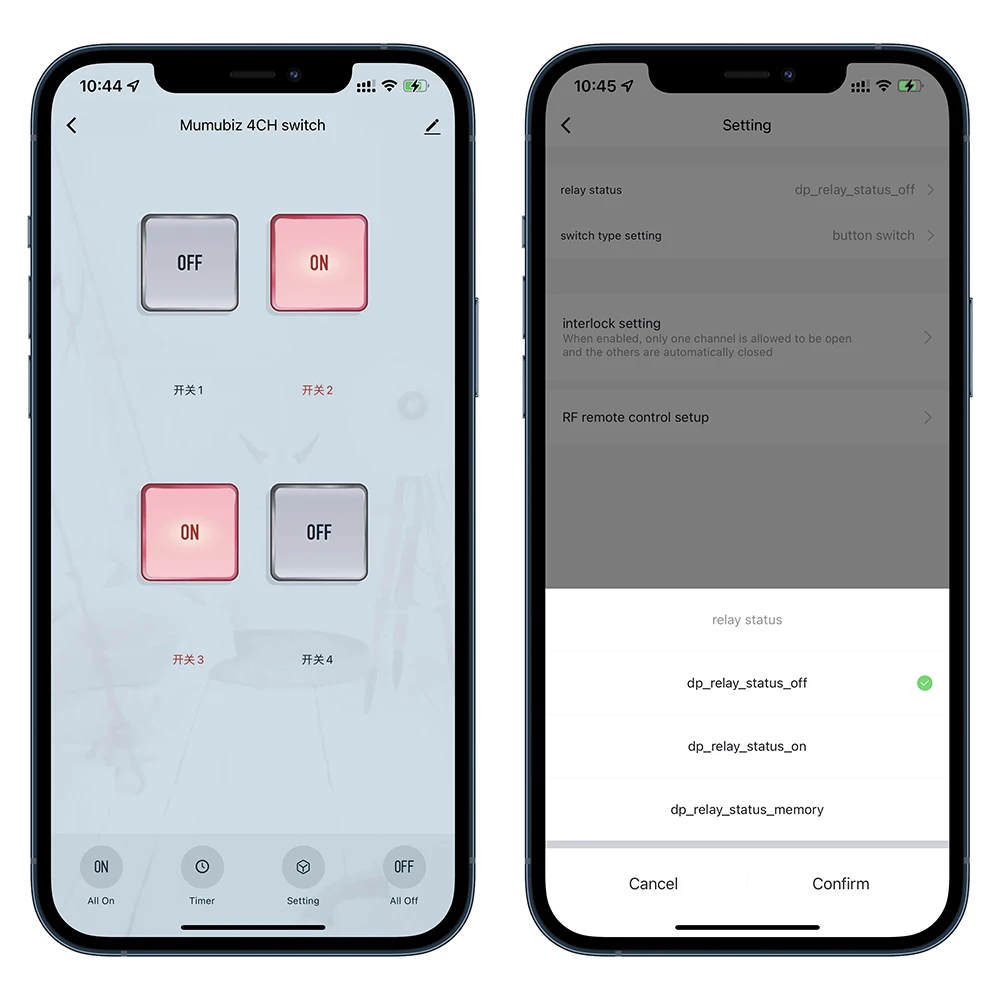
Click the on/off buttons on the APP can control device , Manual control swyitch also can be display real-time on the APP
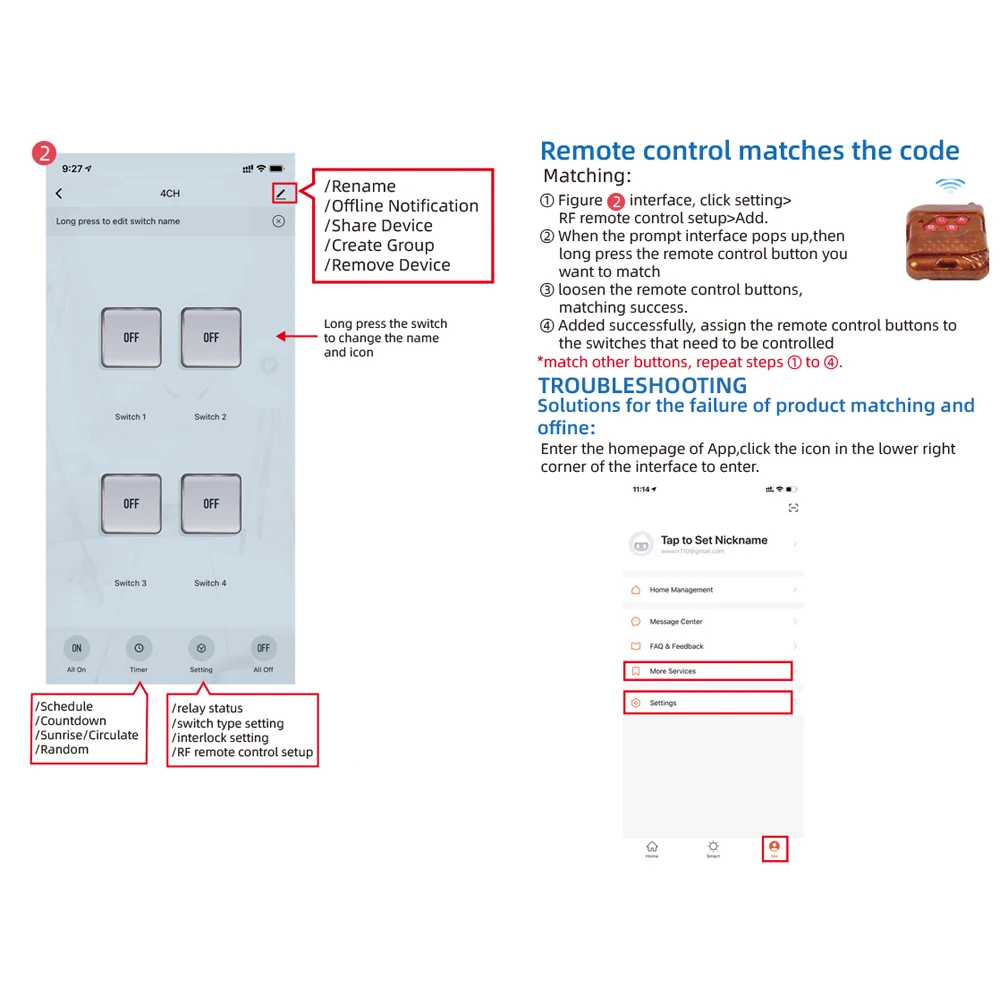
Remote control matches the code
Matching ,click setting , RF remote control setup , Add.
When the prompt interface pops up then long press the remote control button you want to match
loosen the remote control buttons, matching success
Added successfully, assign the remote control buttons to the switches that need to be controlled
match other buttons, repeat steps